
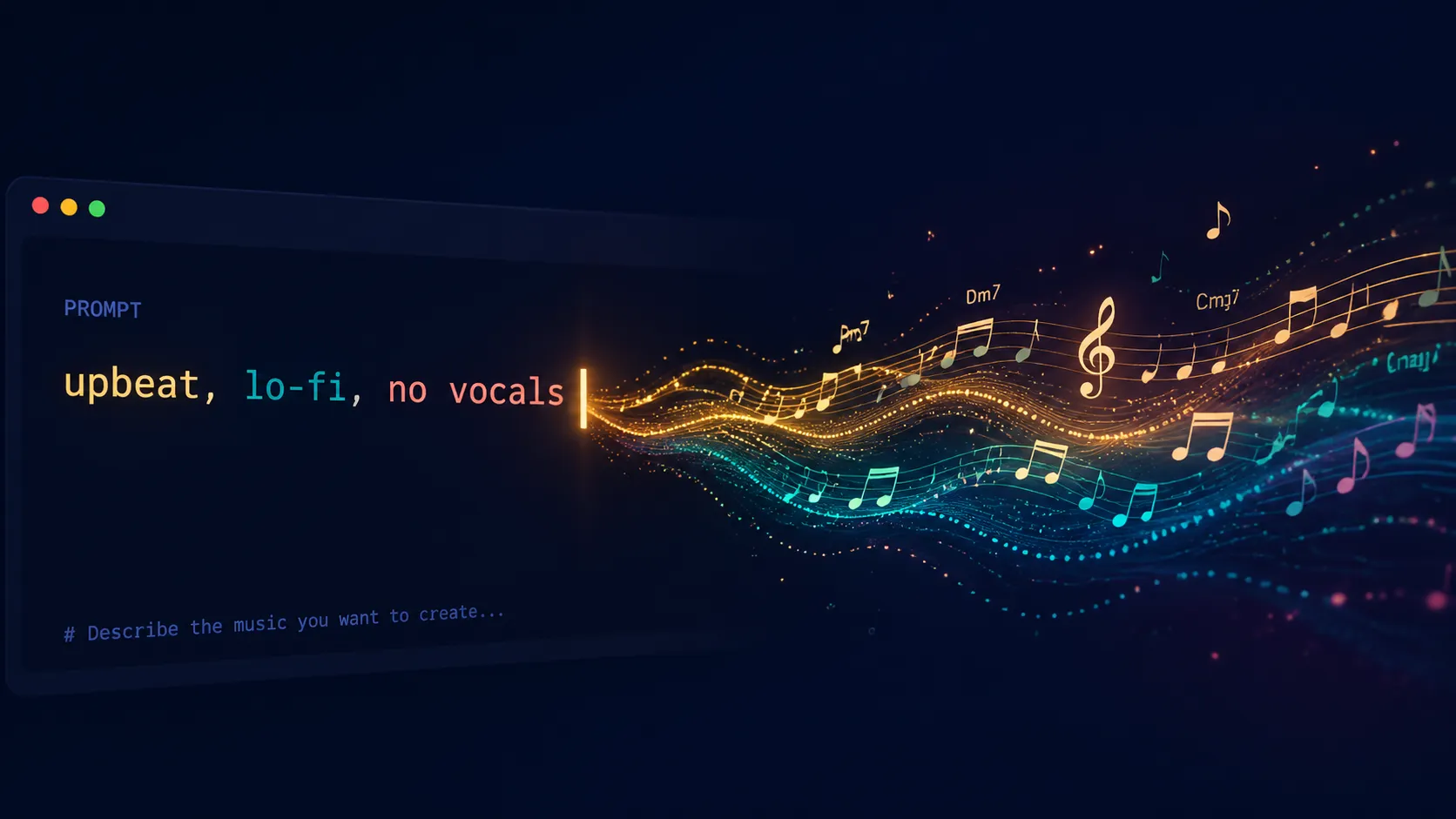
An AI music generator turns a written idea into music. You describe the mood, genre, use case, tempo, or instruments you want, and the tool gives you a track you can test in a real project.
Most people searching for one are not trying to study music technology. They need a soundtrack for a YouTube video, a podcast intro, an ad variation, a product demo, or a short social clip. The job is usually simple: get something that fits before the edit loses momentum.
Key takeaways
- An AI music generator creates music from prompts such as genre, mood, tempo, instruments, lyrics, or scene direction.
- The best use cases are fast creator workflows: videos, podcasts, ads, demos, social posts, and game prototypes.
- Better prompts describe the job of the track, not just the genre.
- Check your platform's license and plan before using tracks commercially.
- Commercial usage rights are not always the same thing as copyright ownership.
- AI music is most useful when speed and fit matter more than hiring a composer or searching stock libraries.
Table of contents
- What is an AI music generator?
- How does an AI music generator work?
- What can you make with an AI music generator?
- How do you write a good AI music prompt?
- Can you use AI-generated music commercially?
- Why are copyright and transparency such a big deal in AI music?
- AI music generator vs. stock music library
- When should you not use an AI music generator?
- How do you choose the right AI music generator?
What is an AI music generator?
An AI music generator is a tool that uses artificial intelligence to create music from text, lyrics, style settings, or other creative inputs. Instead of composing every part by hand, you give the system a direction and it produces a complete audio track.
A simple prompt might be:
Upbeat lo-fi background music for a 60-second YouTube intro, warm keys, soft drums, relaxed but not sleepy, no vocals.
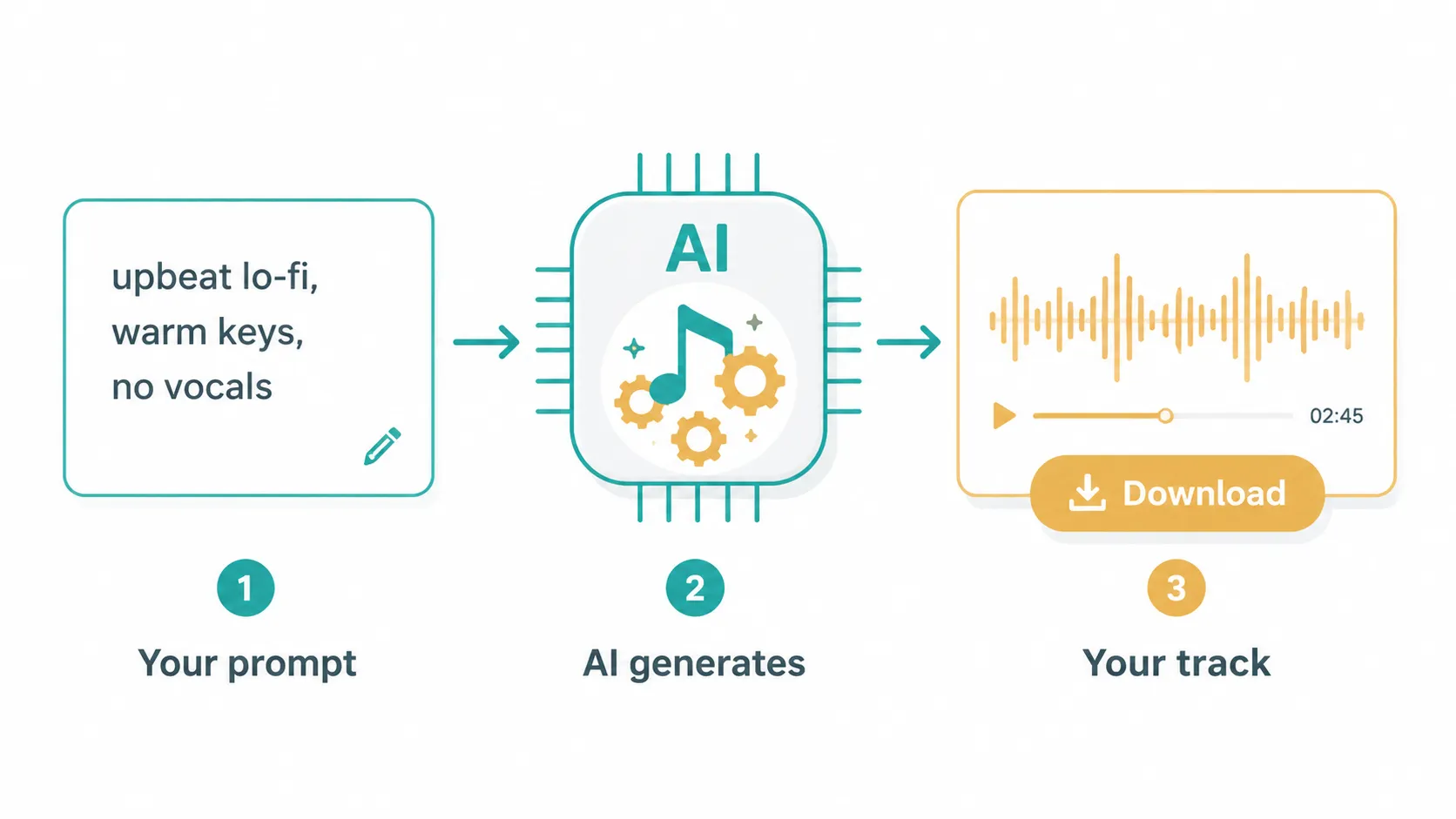
The generator turns the request into rhythm, melody, instruments, arrangement, and audio. Some tools focus on background music. Others create full songs with lyrics and vocals. Some are made for quick social content; others are closer to demo tools for songwriters.
If you want to write the words first, draft and edit them in the AI Lyrics Generator, or follow our guide to writing song lyrics with AI.
For creators, the useful part is skipping the slow first pass: searching, previewing, rejecting, and searching again.
How does an AI music generator work?
An AI music generator works by turning your prompt into a musical direction, then generating an audio track that matches the requested use case, mood, genre, and constraints. You write what the track should do, listen to the result, adjust the prompt, then keep the version that fits.
You do not need to list every musical detail. A prompt with a clear use case and mood is often enough:
Short background music for a product demo, modern and focused, light electronic pulse, no vocals.
Behind the scenes, modern music generators learn musical patterns from large bodies of audio and music data. They do not compose the way a person does. They map your words to patterns that sound like a genre, mood, or arrangement.
The weak point is guessing. If you only ask for "pop music," the tool has to invent the use case. If you say "15-second pop background for an Instagram Reel, bright, quick start, no vocals," the result has a better target.
What can you make with an AI music generator?
AI music works best when the track supports another piece of content. The music matters, but it is not the whole product.
For personal occasions, PlayItOut also has a Personalized Song Gift Generator for turning a message, poem, or lyrics into a custom song gift.
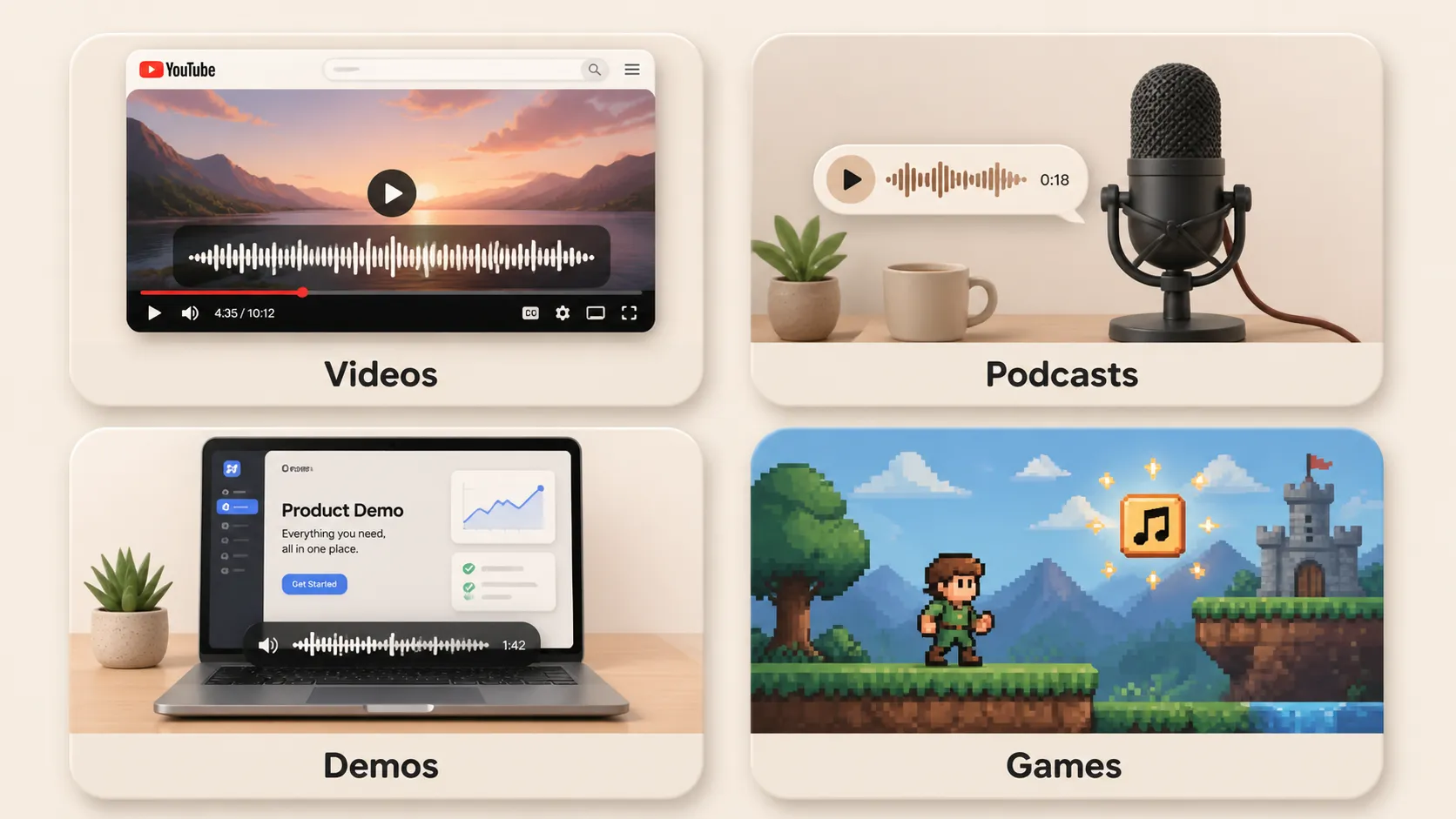
YouTube background music
Creators often need background music that fits a video without fighting the voiceover. This is where a prompt beats a search bar. You can ask for pacing, mood, and energy in the same sentence.
Example prompt:
Clean upbeat background music for a tech tutorial, light electronic drums, soft synth bass, confident but not dramatic, instrumental.
If YouTube is the main channel, the AI music for YouTube page goes deeper on background tracks, voiceover fit, Shorts, vlogs, tutorials, and copyright-safe publishing.
Podcast intros, transitions, and ad variations
Podcasts need short audio cues that feel familiar without becoming annoying. Ads need even more variation. One version may need a bright hook, another may need a quieter build, and a third may need a more cinematic bed.
For these jobs, the first result does not need to be perfect. The advantage is getting several usable directions before you would normally finish browsing a stock library.
Product demos and launch videos
Product demos need music that supports clarity. The track should add polish without pulling attention away from the screen or voiceover.
Example prompt:
Minimal cinematic music for a SaaS product demo, steady pulse, light tension, polished and modern, no vocals.
Game prototypes and mood audio
Early game prototypes often feel empty without sound. AI music can fill that gap before a dedicated sound design pass.
Example prompt:
Ambient forest exploration loop for an indie game prototype, soft pads, gentle percussion, mysterious but calm.
For RPG scenes, boss fights, menus, and game jams, use the game music generator page as the more specific workflow.
Want to test one of these ideas now? Open PlayItOut with a short prompt and compare a few directions.
How do you write a good AI music prompt?
A good AI music prompt describes the job of the track. Start with where the music will be used, then add the feeling you want.
Use this simple formula:
Use case + mood + genre + tempo + instruments + vocals + length + constraintsFor example:
30-second background track for a product launch video, confident and modern, cinematic electronic style, medium tempo, pulsing synth bass, light percussion, no vocals, clean ending.This gives the generator a target. The use case does more work than the genre name.
Weak prompt:
Make pop music.Better prompt:
Upbeat pop background music for a 15-second Instagram Reel, bright synths, claps, catchy hook energy, no vocals, fast start, clean ending.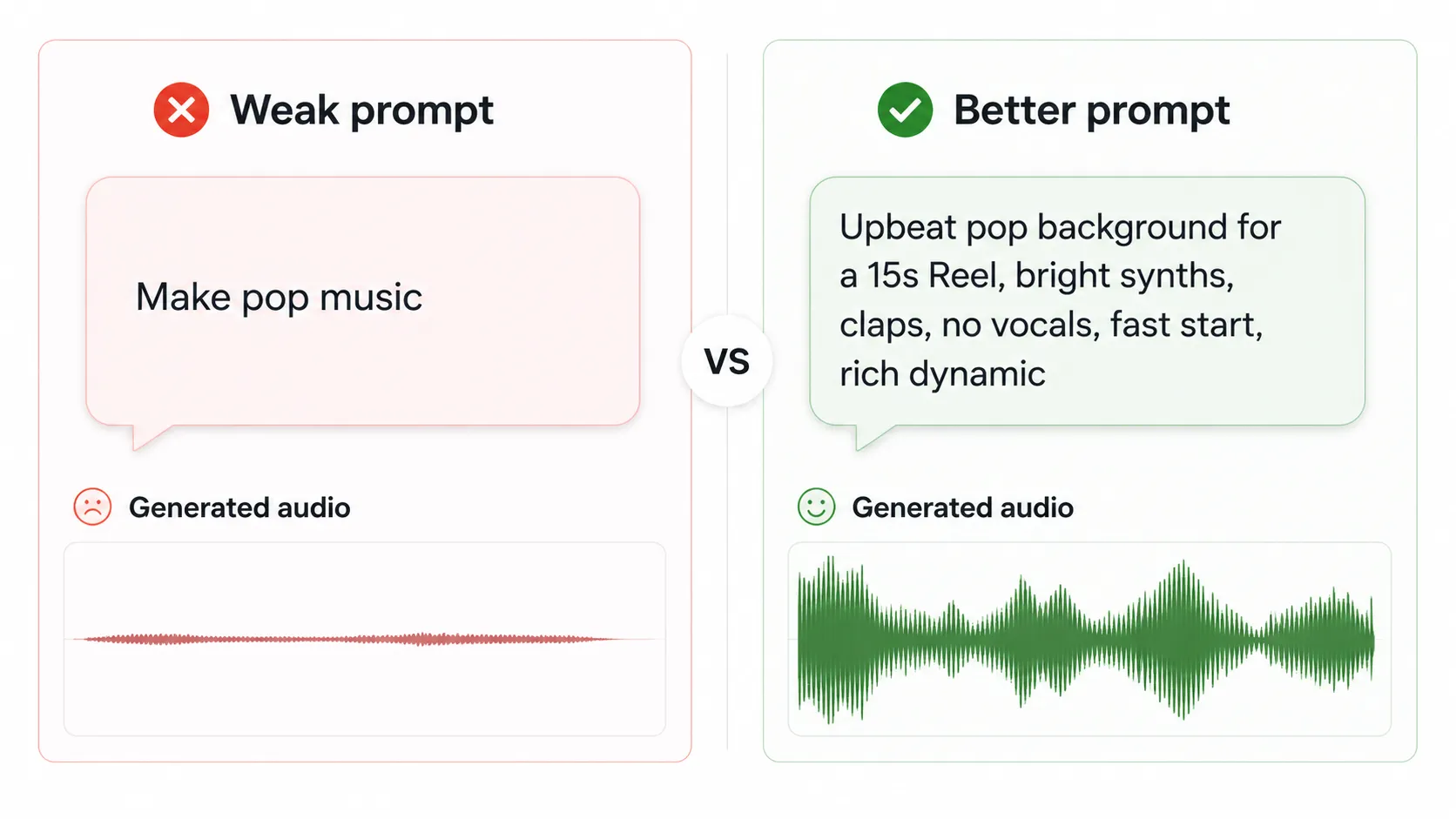
The second prompt gives context: format, length, energy, and vocal direction. It also tells the tool what not to make.
If you are writing prompts for a real edit, start with the scene instead of the genre. Open PlayItOut, paste a one-sentence brief, then tighten the mood after you hear the first result.
Can you use AI-generated music commercially?
You can use AI-generated music commercially when the platform license allows it for your plan and your type of project. The messy part is that "commercial use," "royalty-free," and "copyright ownership" are not the same thing, so check the terms before using a track in paid work.
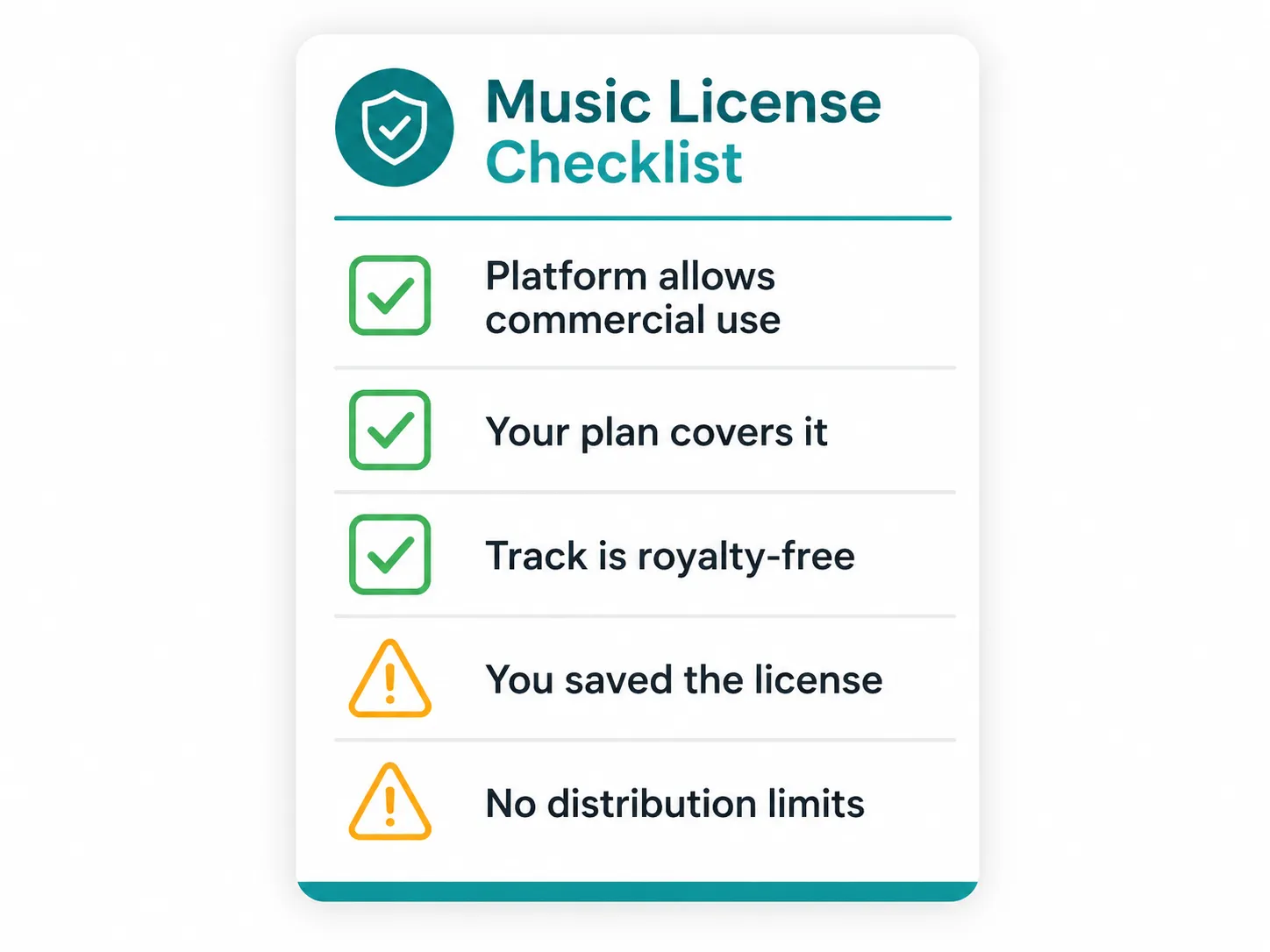
"Royalty-free" usually means you should not owe ongoing royalties for a permitted use. It does not automatically mean you own copyright in the way you would own a fully human-authored composition.
The U.S. Copyright Office has treated AI output copyrightability as a separate policy issue in its AI reports, including a 2025 report section on copyrightability of outputs created using generative AI. Creators should separate two questions:
- What usage rights does the platform give me?
- What copyright protection, if any, exists for this specific work?
For most video creators, podcasters, marketers, and product teams, usage rights matter more than theory. Before you publish, check whether the track is allowed in a monetized video, client project, ad, game, or podcast. If the answer is buried, treat that as a warning sign.
If the limit is tied to a paid tier, check the pricing page before you build the track into a client deliverable or ad campaign.
Is AI-generated music copyright free?
AI-generated music is not automatically copyright free. Some platforms give you royalty-free usage rights, but copyright ownership may depend on human input, platform terms, and local law. Treat "copyright free" as a claim that needs proof, not as a default feature of AI music.
Can I use AI music on YouTube without getting claimed?
You can use AI music on YouTube without a claim when the track is licensed for YouTube use and does not conflict with a platform's content ID or rights policy. Keep the license terms, generation history, or receipt with your project in case a claim needs to be disputed.
Why are copyright and transparency such a big deal in AI music?
Copyright and transparency matter because AI music is now being uploaded at a scale where listeners, platforms, artists, and brands need to know what was generated, what was licensed, and what might trigger a rights dispute. Without that clarity, even a usable track can become a publishing problem.
Deezer reported in April 2026 that it was receiving almost 75,000 fully AI-generated tracks per day, roughly 44% of daily uploads on its platform. Deezer also said 97% of people in its study could not tell the difference between fully AI-generated songs and human-made music in a blind test.
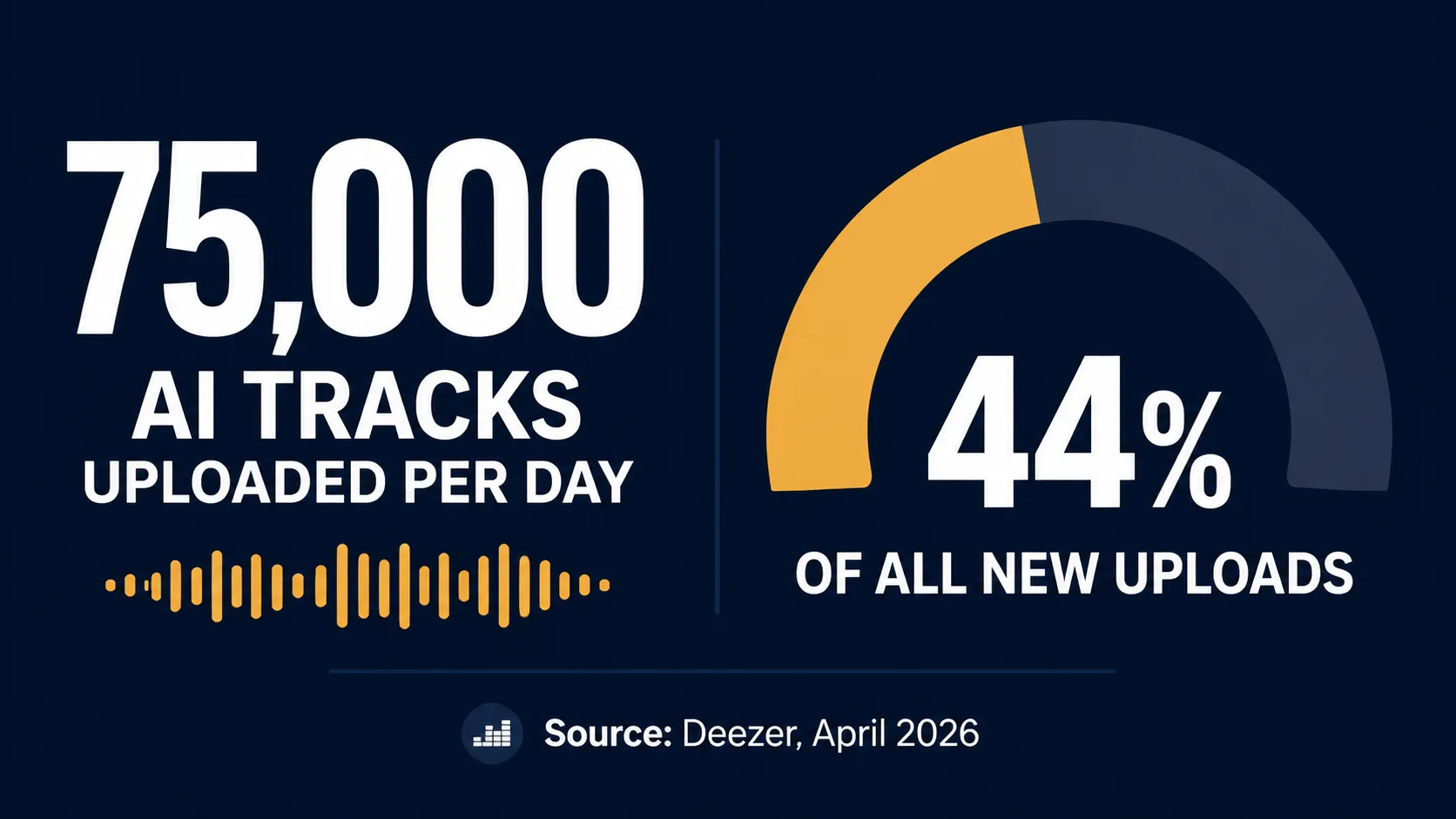
Numbers like that explain why licensing and labeling keep coming up. AI music is useful for creators, but it also creates real platform problems around rights, fraud, and transparency.
Major labels have also sued AI music companies over alleged training-data infringement. The lawsuits around Suno and Udio are one reason many creators now ask whether an AI-generated track is safe to use commercially.
You do not need to become a copyright lawyer to use AI music responsibly. You do need a little discipline before publishing commercial work:
- Does the platform clearly allow commercial use?
- Does that permission apply to the free plan or only paid plans?
- Are there limits on distribution, resale, streaming, or client work?
- Does the platform explain whether tracks are royalty-free?
- Can you download and store proof of the license or generation history?
If a project has legal review, client approval, or paid distribution behind it, save the license language with the asset. Future-you will want the receipt.
AI music generator vs. stock music library
Stock music libraries are useful when you want a finished track made by a human creator. The problem is search friction. You may spend a long time browsing, filtering, previewing, checking licenses, and still settling for a track that is only close enough.
An AI music generator starts from the direction you already have in your head. Instead of asking "Which existing track is close enough?", you ask "What should this scene feel like?"
| Need | Stock music library | AI music generator |
|---|---|---|
| Find a close fit | Search and preview existing tracks | Describe the exact sound you need |
| Make variations | Search again or edit manually | Adjust the prompt and regenerate |
| Match a short edit | Trim or loop a fixed track | Ask for a specific length or energy |
| Avoid reused sound | Other creators may license the same track | Generate a new direction from your prompt |
| Move fast | Browse, compare, license | Prompt, listen, download |
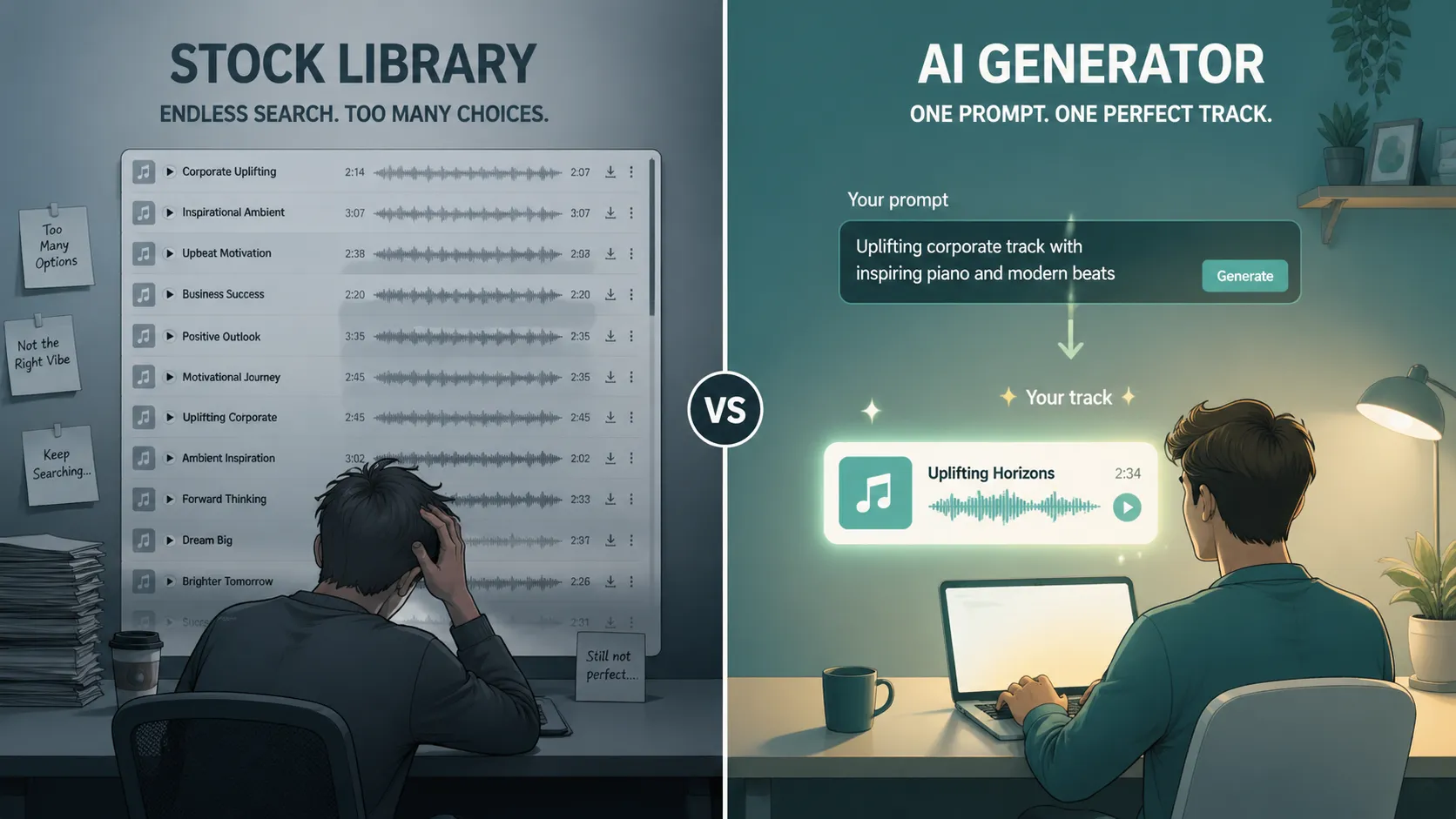
For fast edits and content production, that workflow is often the point.
When should you not use an AI music generator?
Skip AI music when the project needs a highly controlled, fully original score with a clear human authorship chain. For a major brand anthem, film score, artist release, or a placement in a film, show, or ad that requires strict rights review, you may still need composers, producers, musicians, and legal clearance.
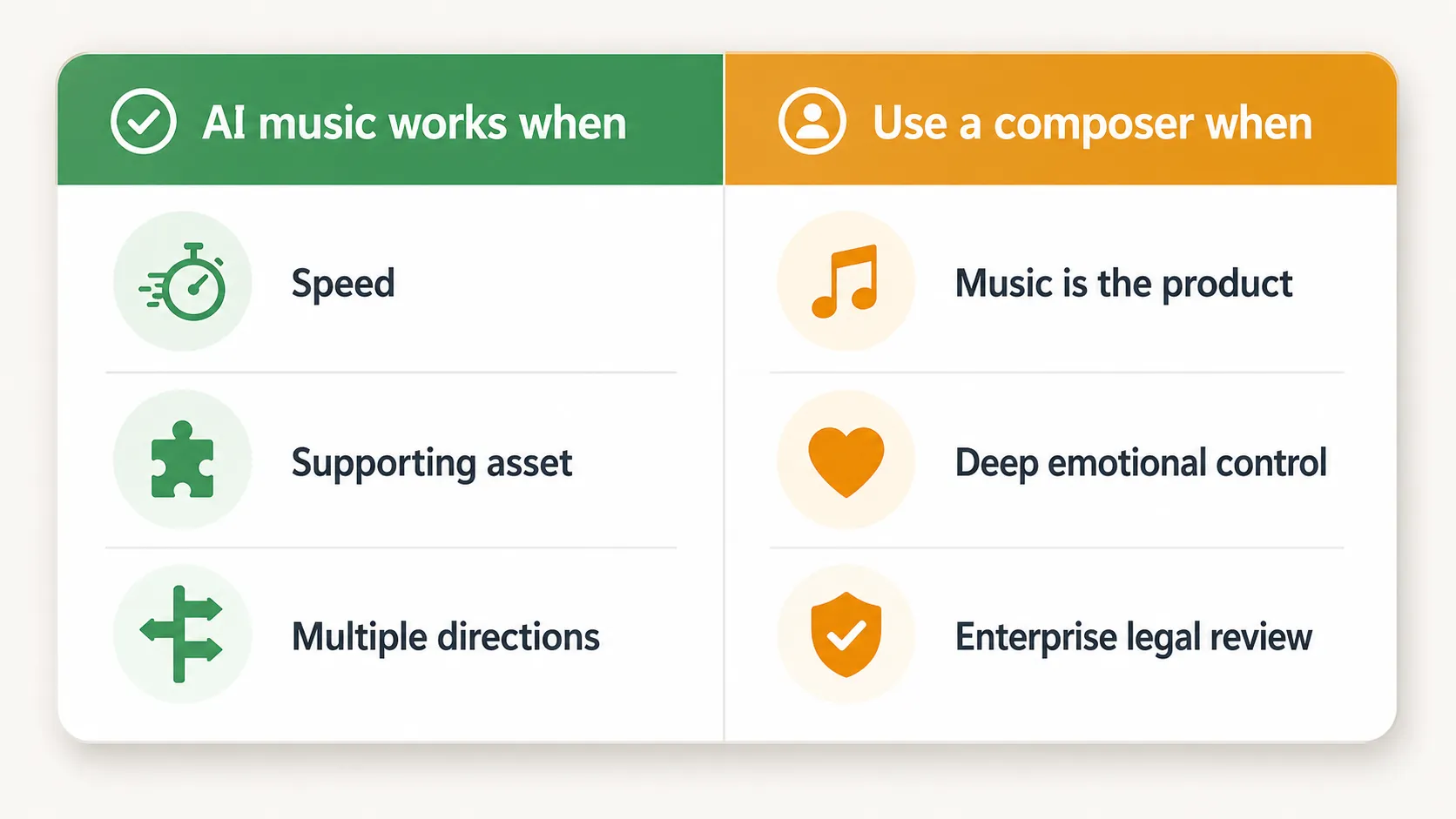
AI music is strongest when:
- Speed matters
- The track supports another asset
- You need background music, not a signature song
- You need multiple creative directions
- You want a custom fit without a full production process
It is weaker when:
- The music itself is the main product
- You need deep emotional performance control
- You need stems, notation, or full production ownership
- You need a rights chain that can survive enterprise legal review
The boundary is practical: use AI music when the track supports the project; be more careful when the track is the project.
How do you choose the right AI music generator?
Choose an AI music generator by use case. A YouTuber, podcast editor, indie game developer, marketer, and songwriter need different things, so a single "best" answer is usually too neat.
Look for these five qualities:
- Clear licensing: The tool should explain whether tracks are royalty-free and where you can use them.
- Fast iteration: You should be able to adjust the prompt and generate new directions quickly.
- Prompt control: Genre, mood, vocals, instruments, and use case should be easy to describe.
- Usable output: The track should be ready to download and drop into your editor.
- Workflow fit: The tool should match the project you actually have, not a fantasy studio workflow.
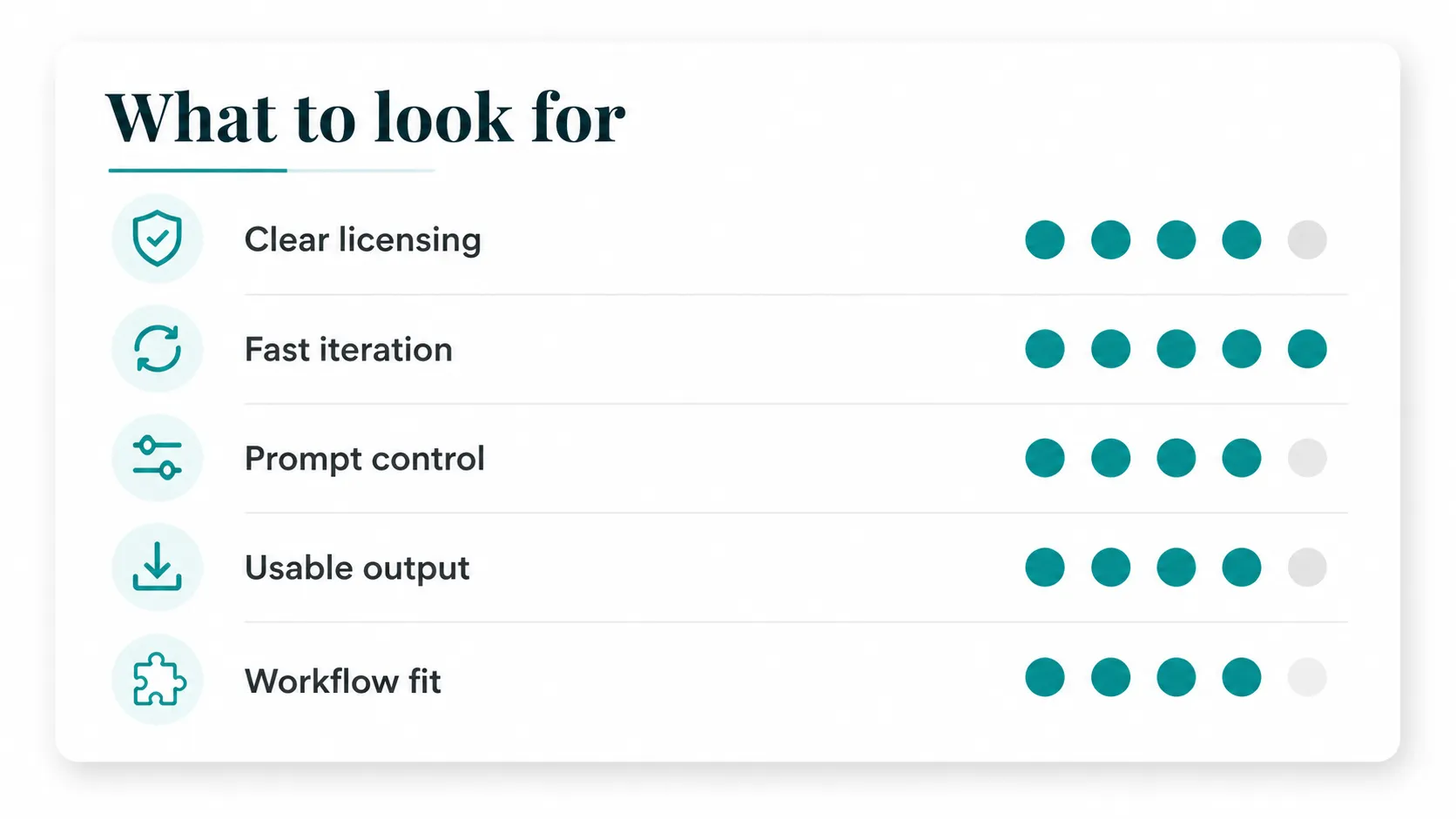
For videos, podcasts, ads, demos, and fast creator projects, speed and license clarity usually matter more than a long feature list.
What is the best free AI music generator?
The best free AI music generator is the one that matches your use case and explains its license clearly. If you need background tracks for videos, podcasts, ads, or demos, choose a tool that lets you prompt by scene, generate quickly, and understand where the output can be used.
Try an AI music generator built for creator workflows
PlayItOut is a free AI music generator for creators who need to test ideas fast. Describe the mood, genre, or use case, then generate a track for personal evaluation. Upgrade to a paid plan or paid credits when you need a commercial use license.
Describe what you need, get a track in seconds, and keep the edit moving when a stock music search is slowing you down.